
How to Fax From a Windows PC — No Phone Line Needed
Windows 10 and 11 can't fax on their own without a fax modem and a landline — but your browser can. Send a fax from Edge, Chrome, or Firefox in about a minute: upload the document, enter the fax number, and click send. No fax machine, no modem, no software to install.
How to Send a Fax From Windows 10 or 11 (Quick Answer)
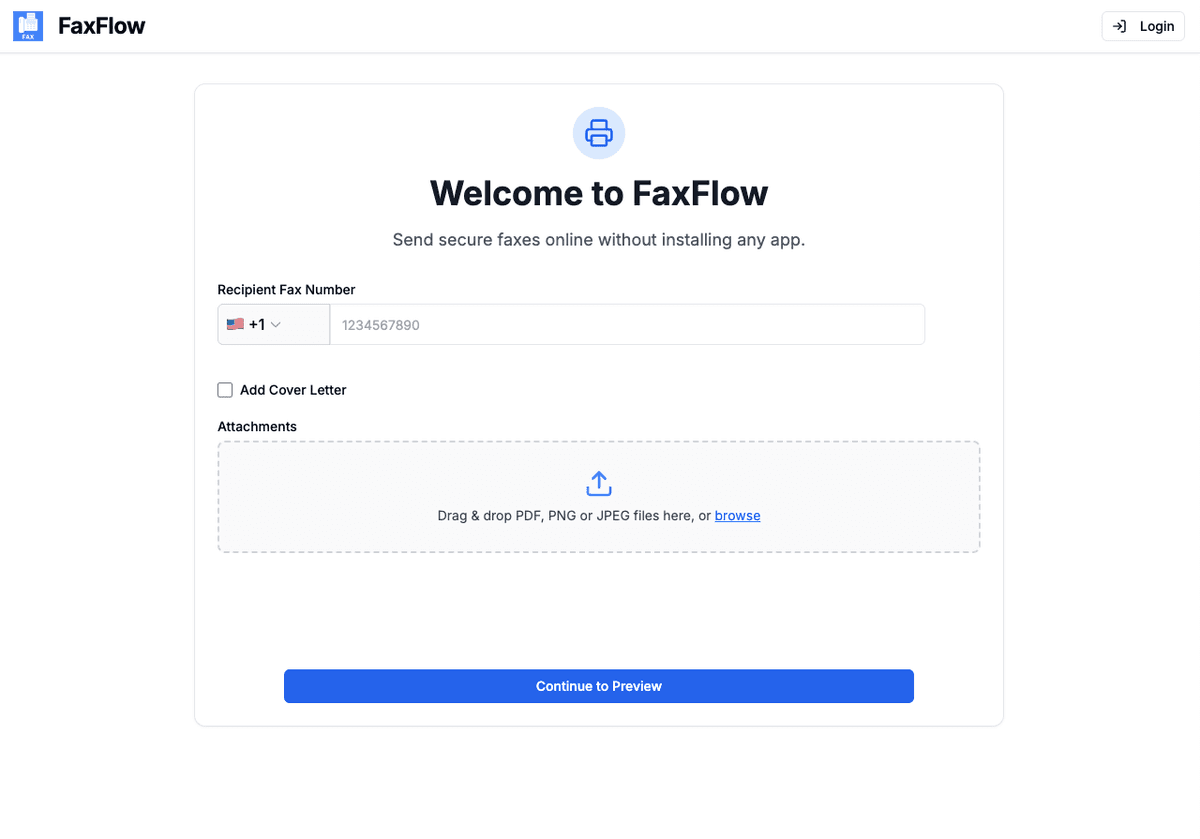
- Open Edge, Chrome, or Firefox and go to FaxFlow's send-a-fax page.
- Upload your document — drag and drop a PDF, Word file (DOC/DOCX), or JPG/PNG straight from File Explorer.
- Enter the recipient's fax number (10 digits in the US, or the country code for international faxes).
- Preview every page and add an optional cover sheet.
- Click Send. Your fax is transmitted over the internet and you get an email confirmation when it's delivered.
That's the whole process — no fax modem, no phone line, and nothing to install. It works identically on Windows 10 and Windows 11, and on locked-down work PCs, because everything runs in the browser.
Does Windows Have a Built-In Fax? (Windows Fax and Scan, Explained)
Windows includes a legacy desktop program called Windows Fax and Scan, but it only sends faxes through a fax modem connected to an analog phone line. It cannot send faxes over Wi-Fi or your internet connection — your router isn't a fax modem. On Windows 11 it isn't even installed by default: it's an optional feature you have to add manually under Settings → System → Optional features. Since almost no modern PC or laptop ships with a fax modem, the practical way to fax from Windows today is through your browser.
1. Online fax in your browser (recommended)
Upload your document to a service like FaxFlow, enter the number, and send. Works on any Windows PC with internet — no hardware, no install, and delivery confirmation by email. This is what the rest of this guide covers.
2. Windows Fax and Scan + fax modem
Only works if you buy a fax modem and have an active analog landline to plug it into. On Windows 11 you must also install the app from Optional features first. Realistic for almost nobody in 2026.
3. A physical fax machine elsewhere
Print your document and take it to a print shop, shipping store, or library with a fax machine. It works for a one-off, but it usually costs per page and means leaving your desk.
Step-by-step
Fax From Your Windows PC: Step-by-Step
The detailed version of the five steps above, exactly as they look in your browser
Open FaxFlow in Your Browser
Launch Microsoft Edge, Chrome, or Firefox on your Windows PC and open the FaxFlow web app. There is nothing to download and no admin rights are needed, so it works on personal laptops and locked-down office machines alike.
- Works in Edge, Chrome, and Firefox
- Same flow on Windows 10 and Windows 11
- No installation or admin privileges required
Upload Your Document From File Explorer
Drag files from File Explorer straight into the browser window, or click to browse your folders. Word documents upload as-is — FaxFlow converts DOC and DOCX to fax format automatically, so you don't need to export a PDF first.
- Drag and drop from File Explorer
- PDF, DOC, DOCX, JPG, and PNG supported
- Combine multiple files into one fax
- Scan paper first with the Windows Scan app or your printer
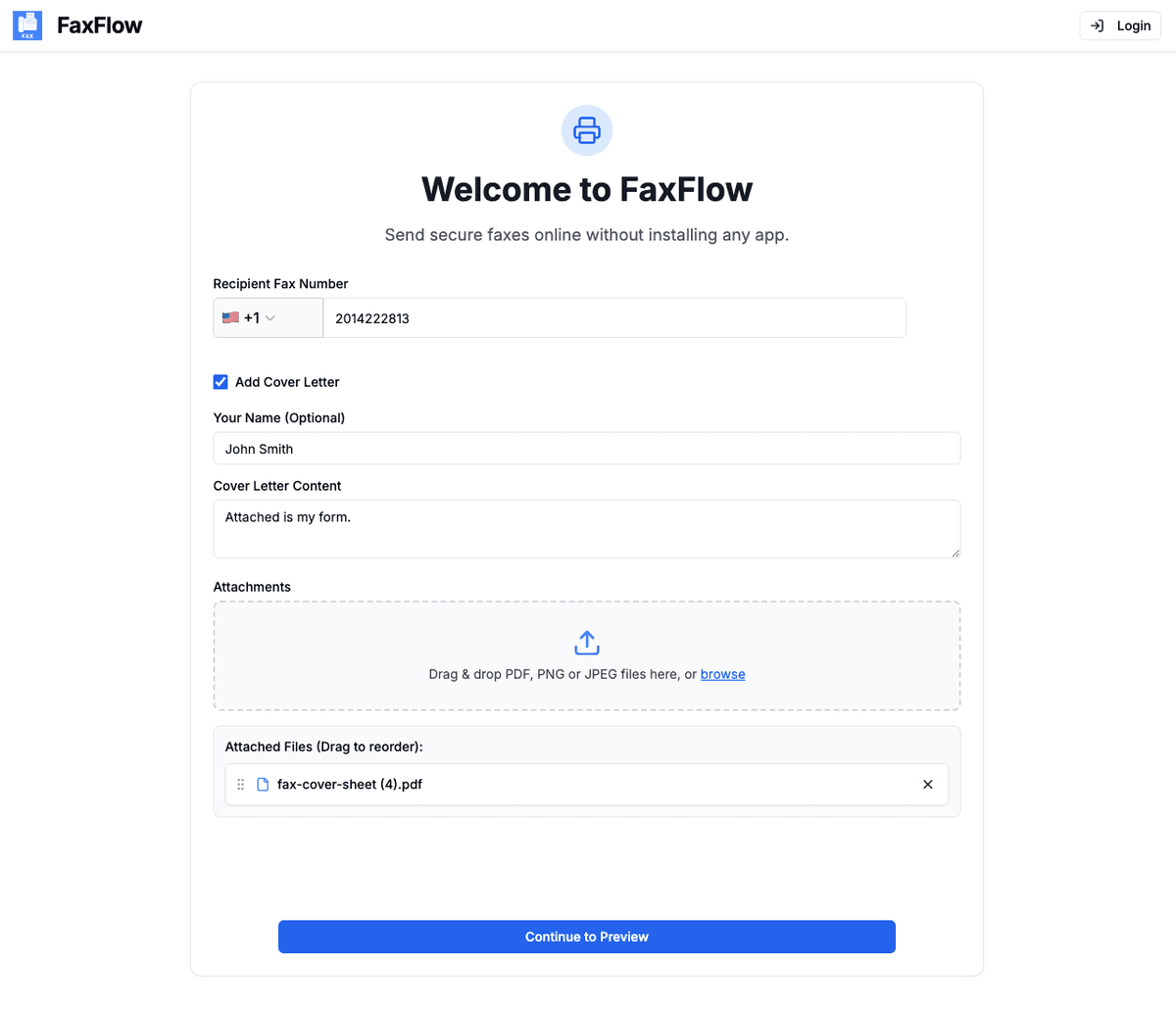
Enter the Recipient's Fax Number
Type the destination fax number — 10 digits for US numbers, or the country code plus number for international faxes. Add an optional cover letter with the recipient's name, your details, and a subject line.
- US and international numbers supported
- Number format validated before sending
- Optional professional cover letter
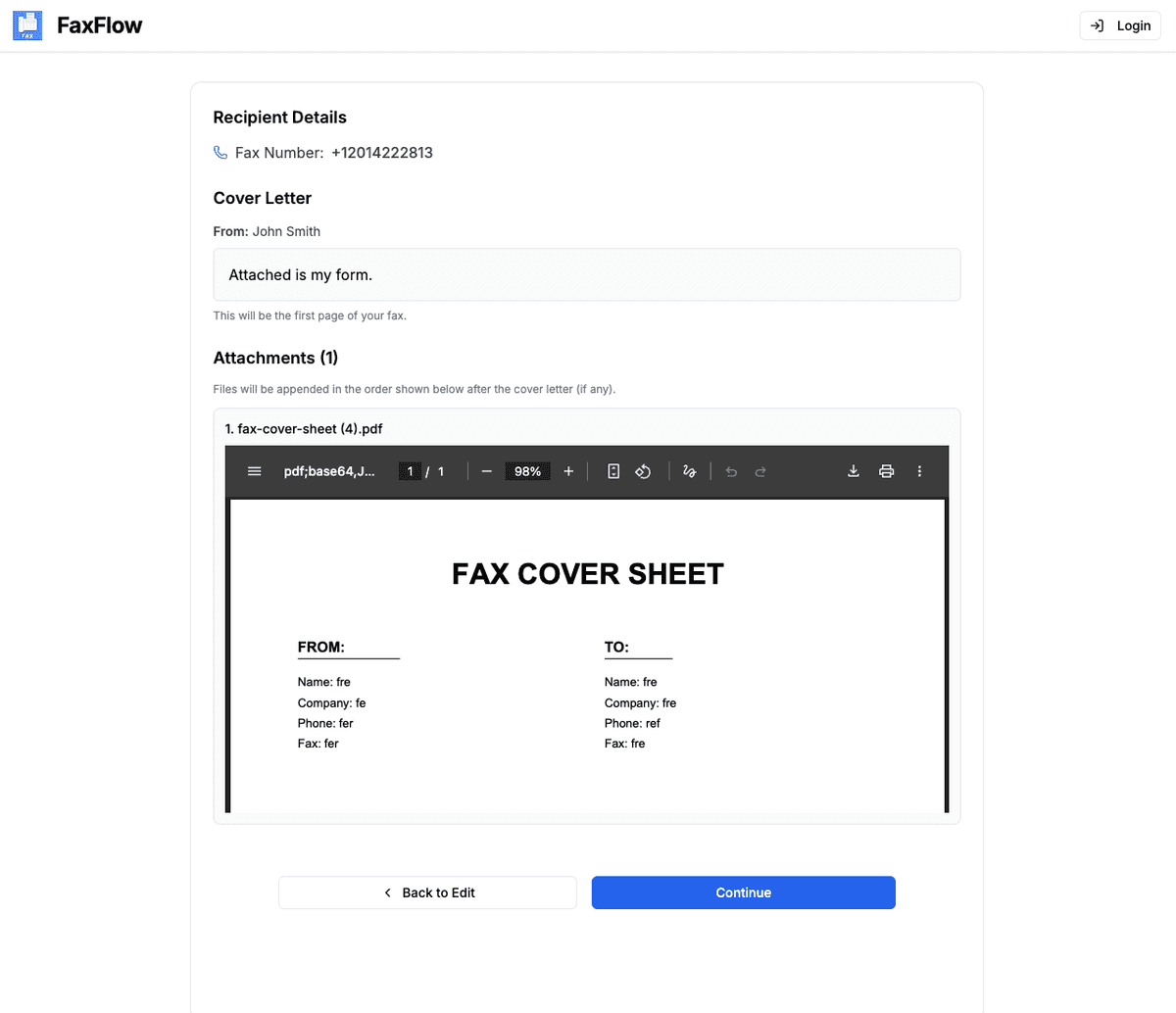
Preview Every Page
Check exactly what the recipient's fax machine will print: page order, orientation, cover letter, and the number itself. Fix anything before it goes out rather than after.
- Page-by-page preview
- Confirm recipient details
- Edit anything before sending
Send and Get Delivery Confirmation
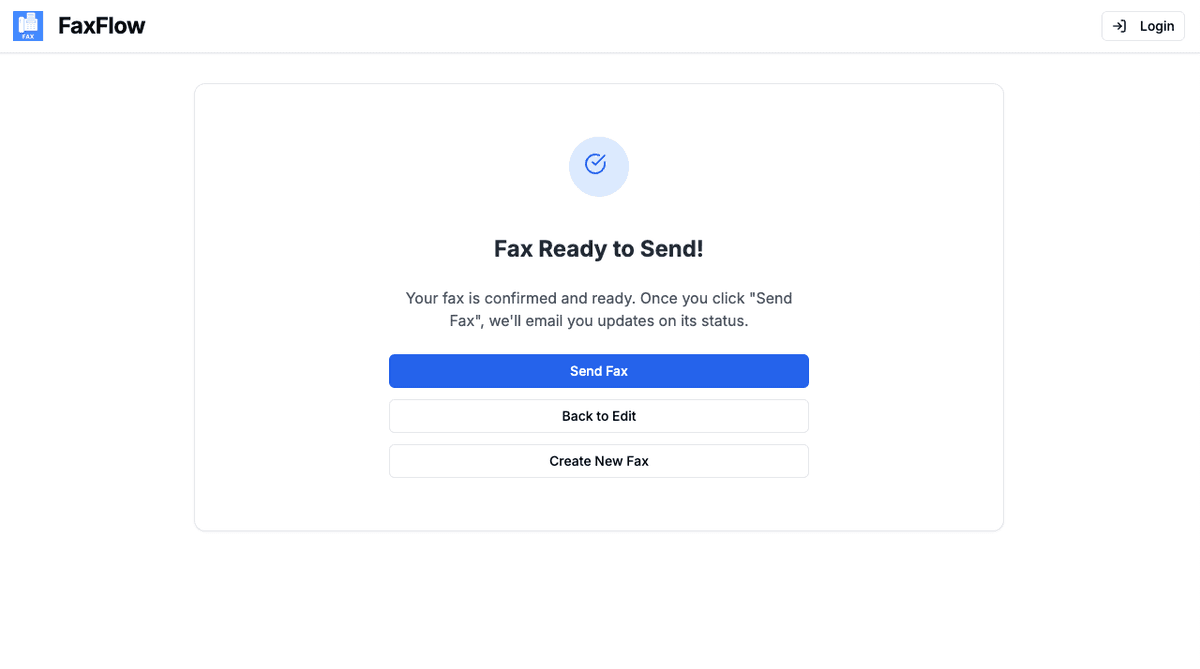
Click "Send Fax". FaxFlow transmits your document with 256-bit SSL/TLS encryption, shows live delivery status, and emails you a confirmation once the recipient's fax machine has received it.
- Real-time delivery tracking
- Email confirmation on delivery
- Resend option if a line is busy
Most faxes are delivered within 3-5 minutes!
Tips
Windows-Specific Tips That Make Faxing Easier
A few built-in Windows tools pair perfectly with online faxing
Turn anything into a PDF with Microsoft Print to PDF
Need to fax a webpage, email, or spreadsheet? Press Ctrl+P in any Windows app and choose "Microsoft Print to PDF" as the printer — it's built into Windows 10 and 11. Save the PDF, then upload it to FaxFlow. This also locks the layout of a Word document exactly as you see it.
Scan paper documents with the Windows Scan app
If your document is on paper and you have a scanner or all-in-one printer, use the Windows Scan app (or your printer's software) to save it as a PDF or JPG, then upload that file. No scanner? Your phone works too — see our guide to faxing from a phone with the camera scanner.
Fax Word documents without converting them
You can upload DOC and DOCX files directly — FaxFlow converts them to fax format automatically. If your document uses unusual fonts or precise formatting, export it to PDF first (File → Save As → PDF in Word) so the pages render exactly as designed.
Works on locked-down work PCs
Because faxing happens in the browser, you don't need administrator rights or IT approval to install anything. Every transmission uses 256-bit SSL/TLS encryption, and documents are deleted after delivery rather than stored.
Troubleshooting
Fax From Windows Not Working? Common Problems and Fixes
Most failed faxes from a PC come down to one of these.
"Fax failed" or endless retries
The destination is usually a busy line — or a voice number, not a fax number. Double-check you have the recipient's fax number and wait a few minutes; busy lines are retried automatically.
"Invalid number" error
US and Canada numbers need 10 digits (area code + number). For international faxes, add the country code and drop any leading zero from the local number — for example +44 for the UK.
Word document looks different than expected
Automatic conversion handles standard documents well, but complex layouts can shift. Export the file as a PDF in Word (or print it with Microsoft Print to PDF) and upload the PDF instead — what you preview is what gets sent.
"Sent" but not "Delivered"
"Sent" means the fax left our servers; "Delivered" means the receiving machine confirmed it. If it stays on Sent, the recipient's machine may be off, out of paper, or busy — check the status again in a few minutes before resending.
How do I fax from Windows 11 without a phone line?
Use an online fax service in your browser. Open Edge or Chrome, upload your document to FaxFlow, enter the recipient's fax number, and click send — the fax travels over your internet connection, so no phone line or fax modem is involved. Windows 11's built-in Windows Fax and Scan cannot do this: it only works with a fax modem plugged into an analog landline.
Does Windows 11 have a built-in fax program?
Windows Fax and Scan still exists, but on Windows 11 it is not installed by default — you have to add it manually under Settings → System → Optional features. Even then, it can only send faxes through a fax modem connected to an analog phone line. It cannot send faxes over Wi-Fi or your internet connection.
Does Windows Fax and Scan work over the internet?
No. Windows Fax and Scan sends faxes only through a fax modem attached to an analog phone line — your internet router is not a fax modem and cannot carry fax signals. To fax over the internet from Windows, you need an online fax service like FaxFlow that transmits the document for you and delivers it to the recipient's fax machine.
Do I need to install fax software on my PC?
No. FaxFlow runs entirely in your web browser — Edge, Chrome, or Firefox — so there is nothing to install and no administrator rights are needed. That also means it works on company laptops where you can't install programs.
Can I fax a Word document from my Windows PC?
Yes. Upload the DOC or DOCX file directly and FaxFlow converts it to fax format automatically. For documents with precise formatting, export to PDF first (File → Save As → PDF in Word) so the fax renders exactly like the original. JPG and PNG images work the same way.
How much does it cost to fax from a Windows PC?
FaxFlow offers weekly, monthly, and annual subscription plans with no per-page fees, and international faxing is included. Faxing has real carrier costs, so there is no truly free unlimited option anywhere — see our pricing page for current rates.
Is it secure to fax from my Windows computer?
Yes. Every transmission uses 256-bit SSL/TLS encryption — the same standard banks use — and documents are deleted after delivery instead of being stored. That's a stronger chain of custody than paper sitting in a shared office fax tray.
FAQ
Windows Faxing FAQs
Everything people ask about sending a fax from Windows 10 and 11 — phone lines, Windows Fax and Scan, Word documents, and cost. Still stuck? See the full how to fax online hub or contact support.
Keep reading
Faxing From Another Device?
Fax from Computer (Mac & PC)
The general guide to faxing from any computer in your browser.
Fax from Mac
Send a fax from Safari or Chrome on macOS — no modem needed.
Fax from Chromebook
Fax straight from the Chrome browser on any Chromebook.
Fax a PDF Online
How to send any PDF file to a fax machine from your browser.
How to Fax Online (All Devices)
The complete hub of step-by-step faxing guides for every device.
Send a Fax Online Now
Ready to go? Upload, enter the number, and send from your browser.
Get started
Ready to Send a Fax From Your Windows PC?
No fax modem, no phone line, no software. Upload your document and send it from your browser in about a minute.
No contracts • Works in any browser • Cancel anytime