
How to Fax a PDF Online
Fax any PDF document online without a fax machine or printer. Simply upload your PDF to FaxFlow, enter the recipient's fax number, and send. Your PDF is delivered exactly as it appears on screen.
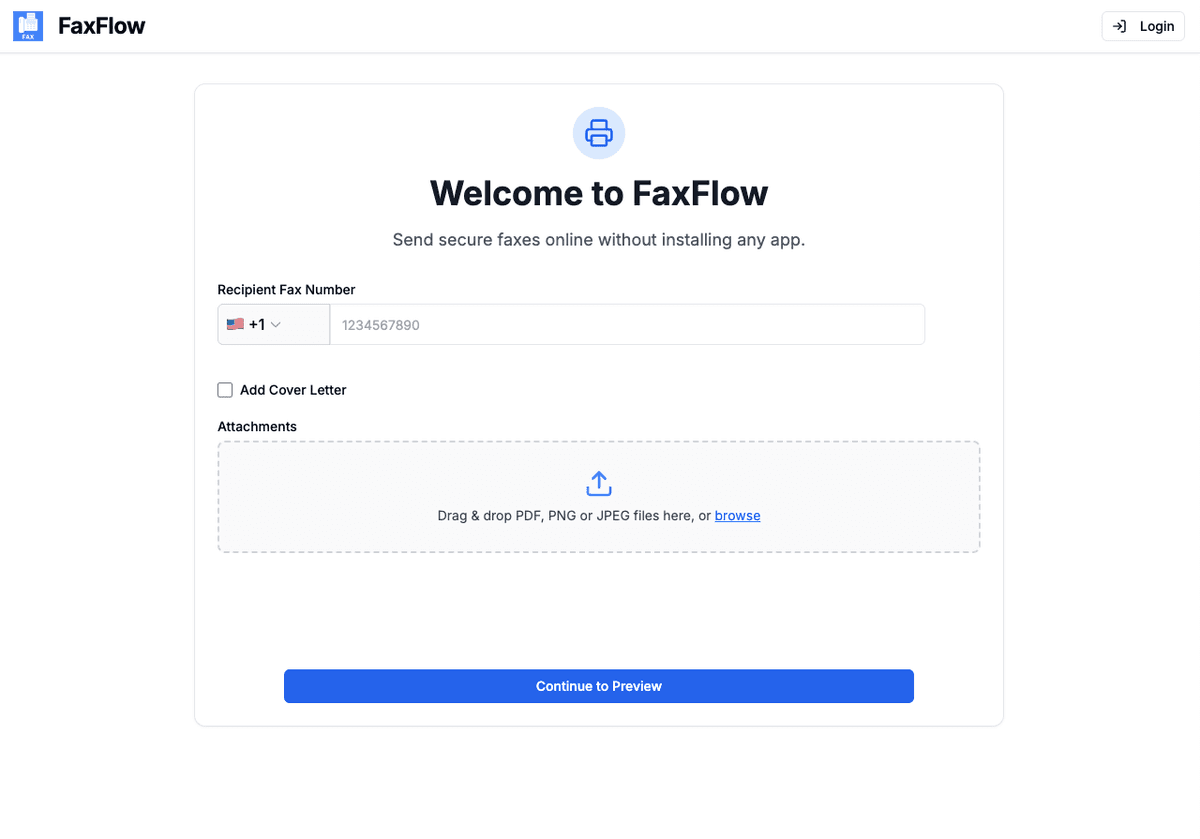
Step-by-step
Send Your First Fax in 5 Easy Steps
Follow these simple steps to get started
Prepare Your PDF
Make sure your document is saved as a PDF. If your file is in another format like Word or an image, FaxFlow can handle those too. PDFs deliver the most accurate formatting.
- PDF is the ideal format for faxing
- Word docs and images also supported
- No file conversion needed
- Multi-page PDFs work perfectly
Upload Your PDF to FaxFlow
Visit fax-flow.com and drag your PDF directly into the upload area, or click to browse your files. FaxFlow preserves your PDF formatting exactly as it appears.
- Drag and drop your PDF
- Click to browse files
- Formatting is preserved exactly
- Large PDFs are supported
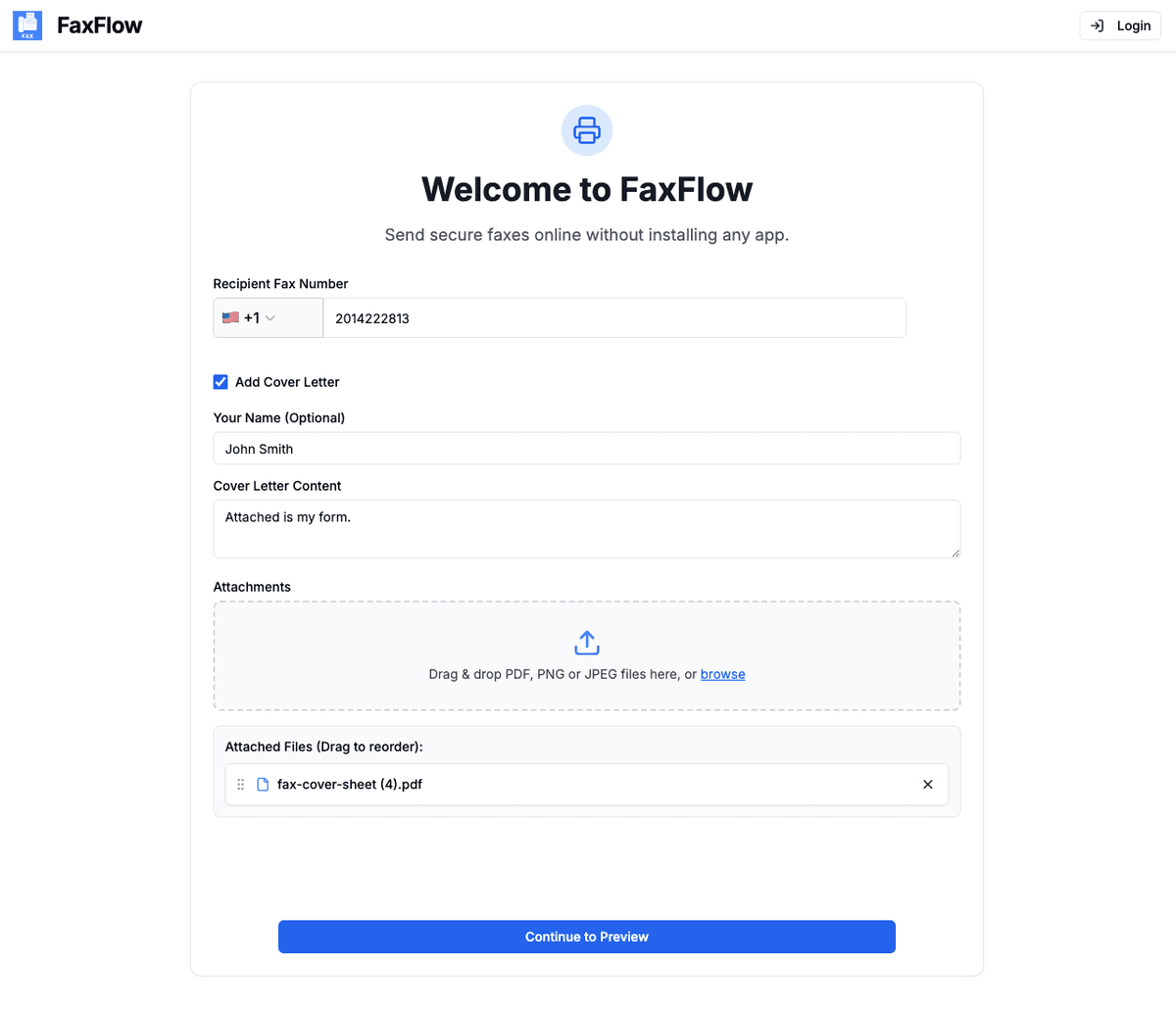
Enter the Fax Number
Type the recipient's fax number including the country code. You can also add a professional cover letter to accompany your PDF.
- Enter fax number with country code
- Add optional cover letter
- International numbers supported
- Verify number before sending
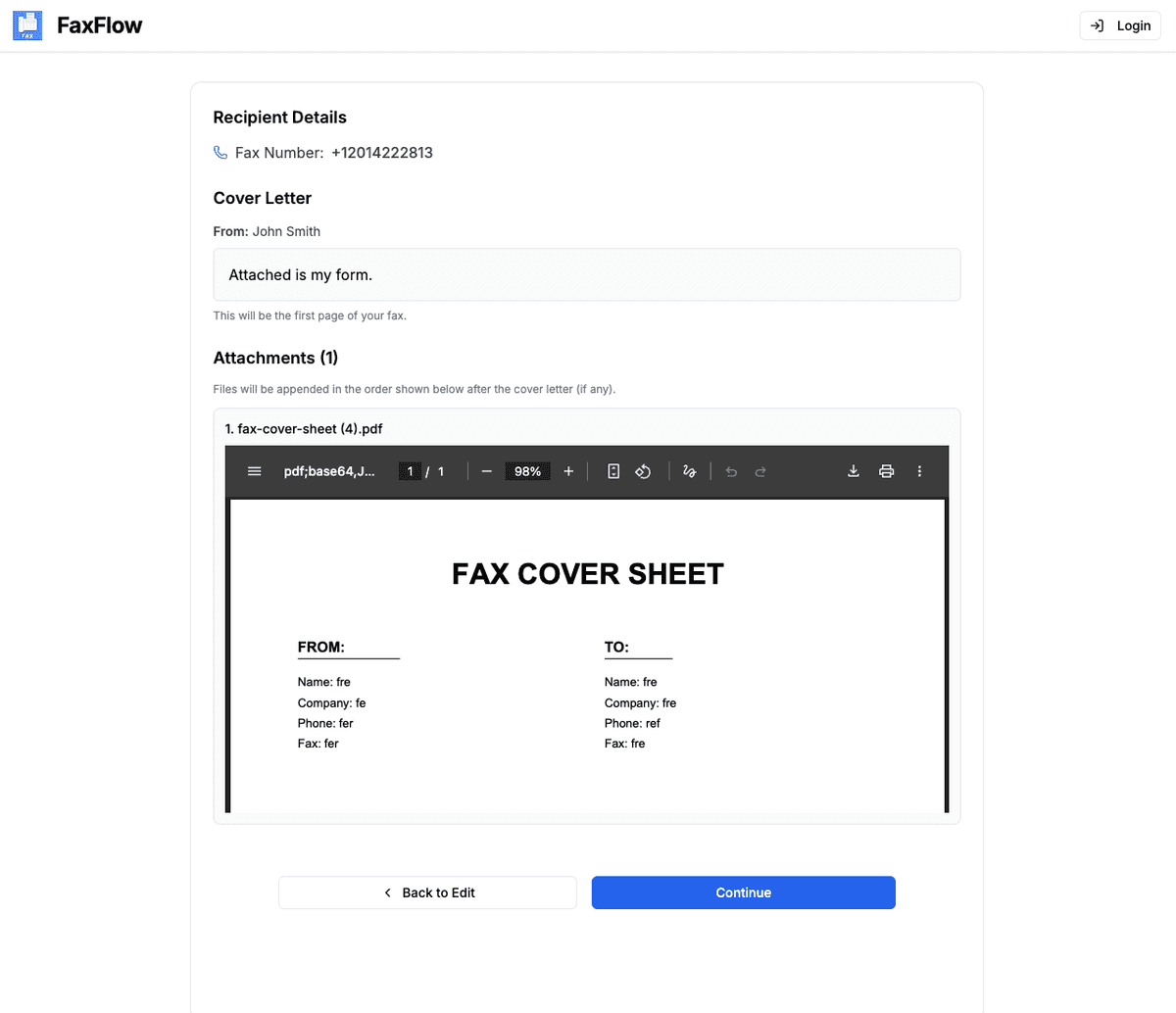
Preview the Fax
Review your PDF exactly as it will be received. Check every page, verify the layout, and confirm the recipient details are correct.
- See every page of your PDF
- Verify layout and formatting
- Check cover letter
- Confirm recipient number
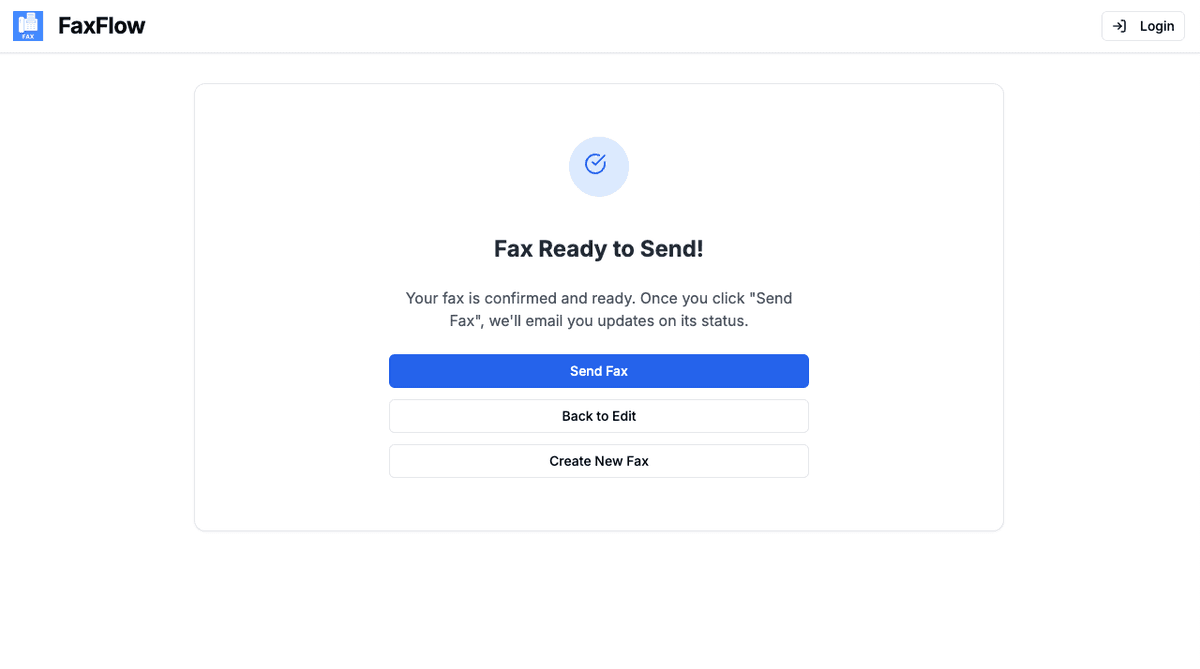
Send Your PDF Fax
Click "Send Fax" and your PDF will be delivered securely. Track delivery in real time and receive an email when the fax is confirmed.
- One-click sending
- Real-time delivery tracking
- Email confirmation
- Download delivery receipt
PDFs typically deliver with the highest quality formatting!
Features
PDF Online Faxing Features You'll Love
FaxFlow is packed with features that make faxing effortless
Perfect PDF Rendering
FaxFlow preserves your PDF formatting exactly. Tables, images, signatures, and text all appear as intended.
No Printing Required
Fax your PDF directly from digital to fax. No need to print and feed through a fax machine.
Multi-Page Support
Upload PDFs with any number of pages. FaxFlow handles multi-page documents seamlessly.
Secure PDF Transmission
Your PDF is encrypted with 256-bit SSL/TLS during transmission and deleted after delivery.
What is the best file format for faxing?
PDF is the best format for faxing because it preserves formatting exactly. Tables, images, headers, and signatures will appear on the recipient's fax machine exactly as they look in your PDF. FaxFlow also supports DOC, DOCX, JPG, and PNG.
Is there a file size limit for PDFs?
FaxFlow supports large PDF files. For best results, keep individual PDFs under 20MB. If your PDF is very large, consider splitting it into smaller files before uploading.
Can I fax a password-protected PDF?
Password-protected PDFs need to be unlocked before uploading. Remove the password protection using your PDF reader, save the unprotected version, and then upload it to FaxFlow.
Will my PDF formatting be preserved?
Yes. FaxFlow renders PDFs with high fidelity. Your layout, fonts, images, and formatting will be preserved in the faxed document. We recommend using standard fonts for best results.
Can I fax multiple PDFs in one transmission?
Yes. You can upload multiple PDF files to a single fax. FaxFlow will combine them in the order you upload them, and they will be sent as one continuous fax to the recipient.
FAQ
PDF Faxing FAQs
Common questions about faxing PDF documents online. Need more help? Contact our support team.
Get started
Ready to Fax Your PDF?
Upload your PDF and send a fax in under a minute. No printing, no fax machine, no hassle.
No contracts • Works in any browser • Cancel anytime