
How to Fax Multiple Pages at Once
Need to fax a multi-page contract, a set of forms, or several documents together? FaxFlow lets you upload multiple files and send them all in one fax transmission with no per-page fees.
Step-by-step
Send Your First Fax in 5 Easy Steps
Follow these simple steps to get started
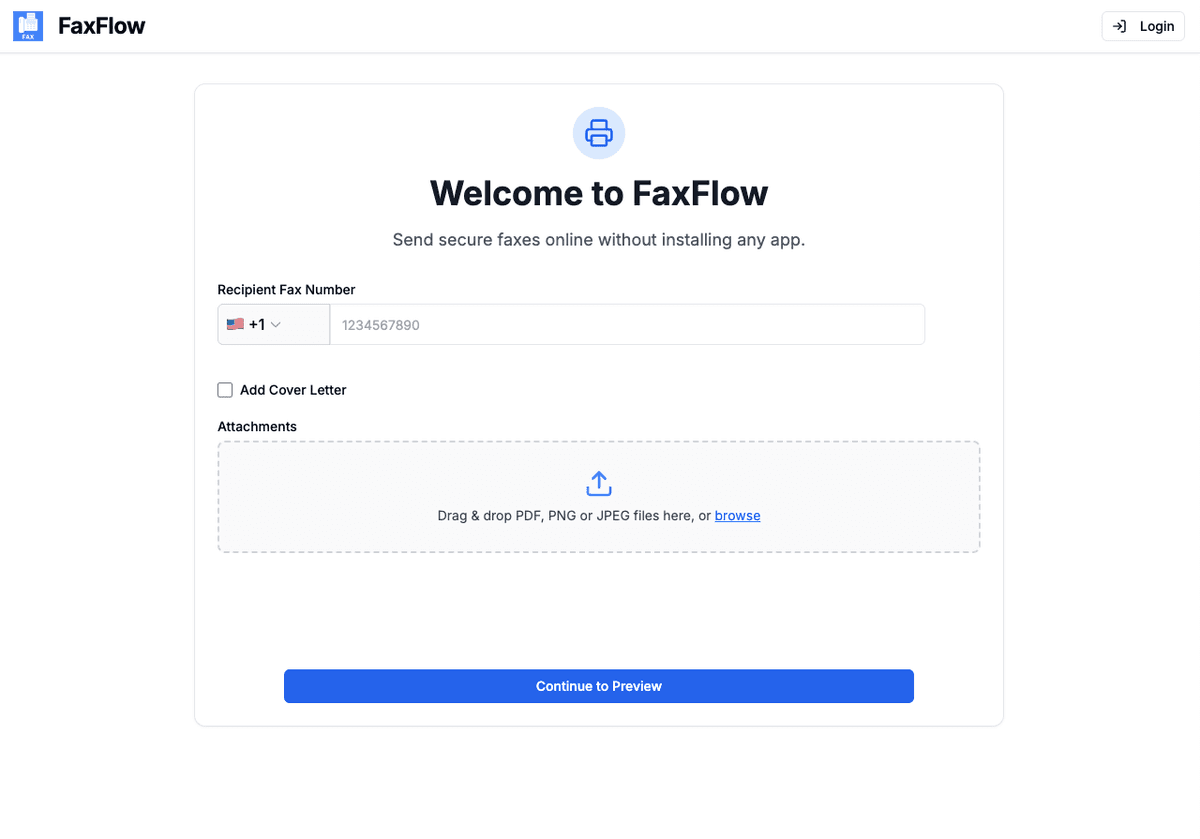
Gather Your Documents
Collect all the pages and files you need to fax. They can be separate PDFs, Word documents, or images. FaxFlow will combine everything into one fax.
- PDFs, Word docs, and images accepted
- Separate files are fine
- No need to combine beforehand
- Scan paper pages with your phone
Upload All Files to FaxFlow
Visit fax-flow.com and upload all your documents. You can drag and drop multiple files at once. FaxFlow combines them in the order you upload them.
- Drag and drop multiple files
- Upload in your desired page order
- Mix different file types
- Rearrange if needed
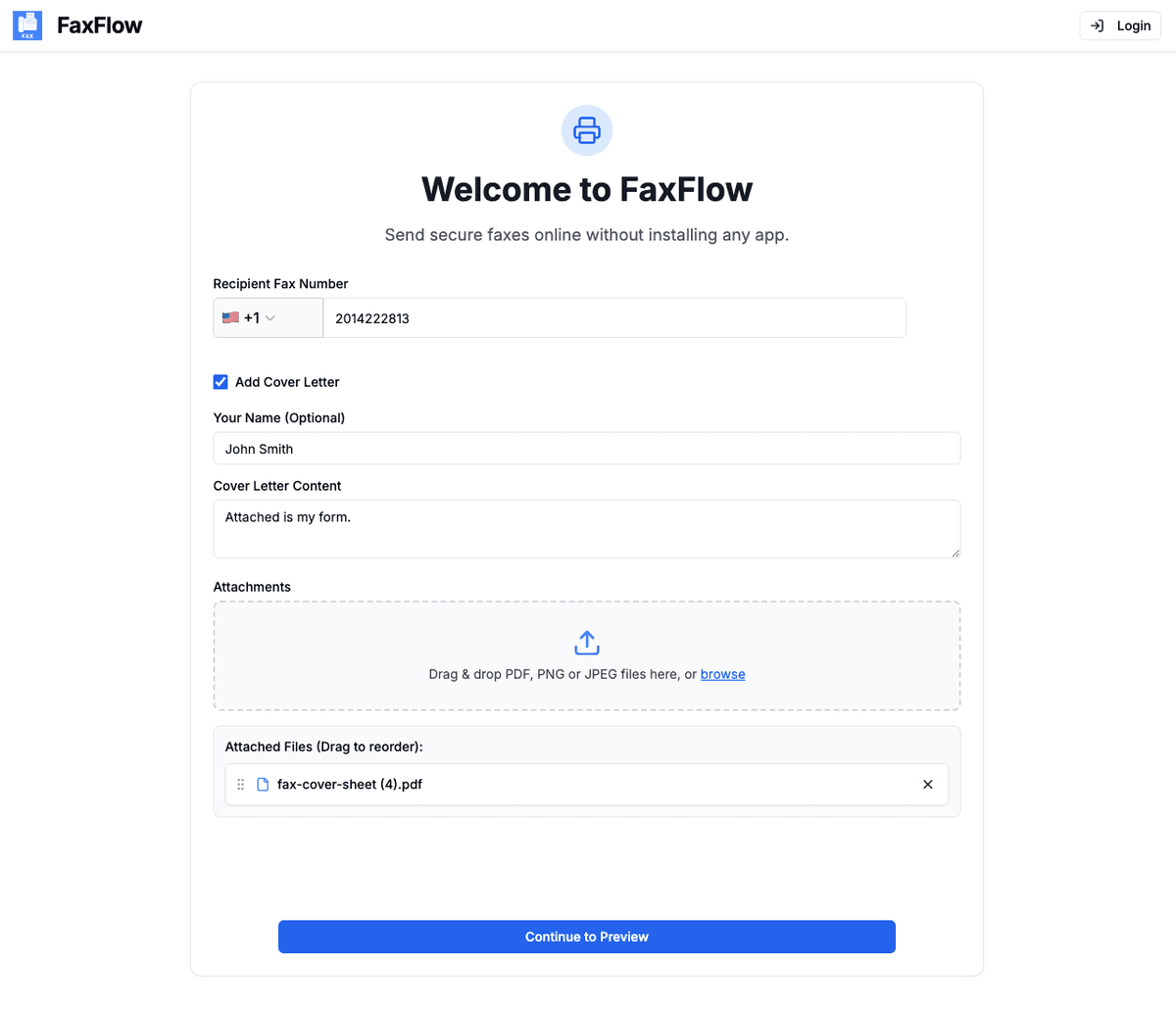
Add a Cover Letter
Add a cover letter that notes the total number of pages. This helps the recipient confirm they received the complete fax.
- Professional cover letter templates
- Note total page count
- Include subject and notes
- Cover letter counts as first page
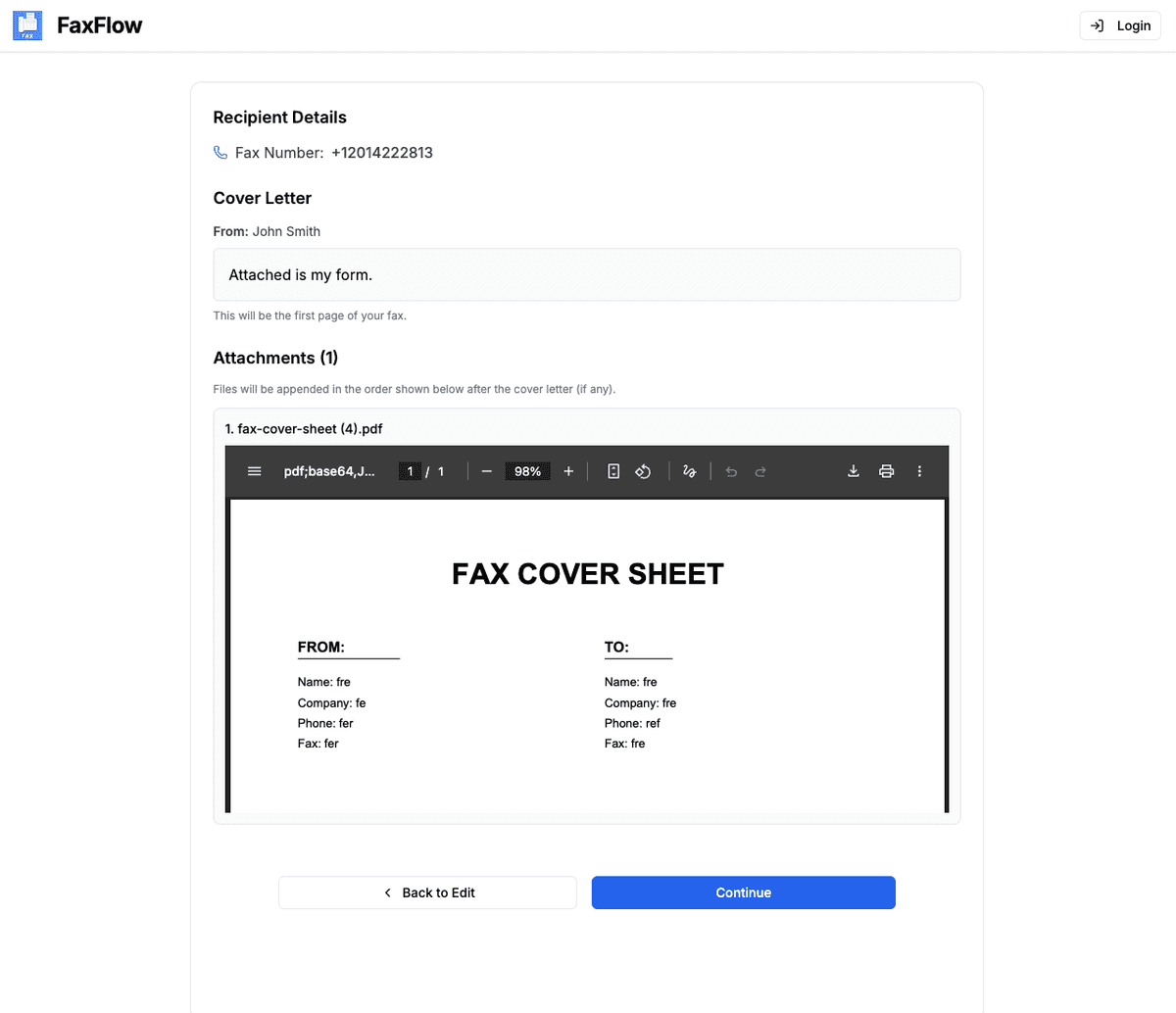
Preview All Pages
Scroll through every page to verify the order is correct and all documents are included. Make sure nothing is missing before sending.
- Page-by-page preview
- Verify correct order
- Check all documents are included
- Confirm total page count
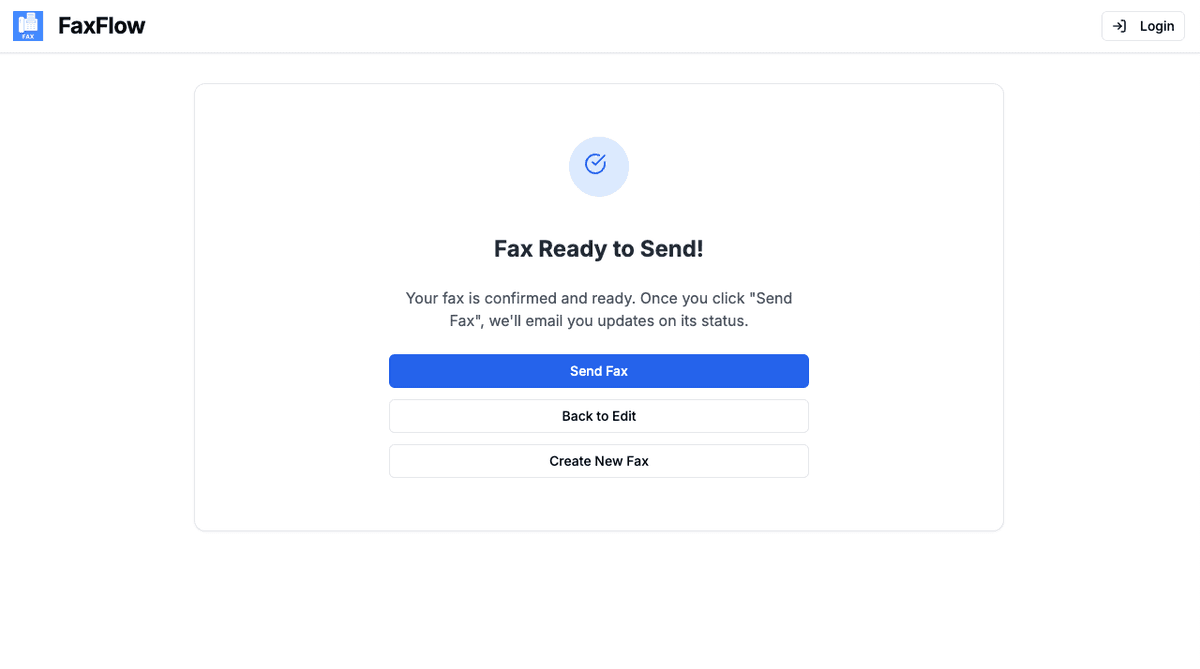
Send All Pages in One Fax
Click "Send Fax" and all pages are transmitted together in a single fax. Receive an email confirmation when the entire document is delivered.
- All pages sent together
- Single transmission
- Email confirmation when complete
- Every page tracked
All pages are included in your plan price. No per-page charges!
Features
at Once Faxing Features You'll Love
FaxFlow is packed with features that make faxing effortless
No Per-Page Fees
Send 1 page or 100 pages for the same price. FaxFlow never charges per page unlike retail fax services.
Multi-File Upload
Upload multiple separate files and FaxFlow automatically combines them into one seamless fax transmission.
Page Order Control
Documents are sent in the order you upload them. Review the full page order in preview before sending.
Complete Delivery Tracking
Get confirmation that every page was delivered successfully. Download a delivery receipt for your records.
Large File Support
Upload large PDFs, lengthy contracts, and long reports. FaxFlow handles big multi-page files that traditional fax machines struggle with.
How many pages can I fax at once?
FaxFlow includes unlimited pages per fax on all subscription plans. There is no page limit. Whether you need to send 5 pages or 50 pages, it is all included in your plan.
Can I upload different file types in one fax?
Yes. You can mix PDFs, Word documents, and images in a single fax. FaxFlow will combine them all into one transmission in the order you upload them.
Will the pages stay in order?
Yes. FaxFlow sends pages in the exact order they appear. For multi-file uploads, documents are sent in the order you add them. Use the preview to verify page order before sending.
Is there an extra charge for multi-page faxes?
No. FaxFlow has no per-page fees. All subscription plans include unlimited pages per fax. A 20-page fax costs the same as a 1-page fax.
Can I scan multiple paper pages and fax them?
Yes. Use the FaxFlow mobile app's built-in document scanner to scan each page with your phone camera. The scanned pages are combined into a single document that you can fax.
Can I fax large documents and big PDFs?
Yes. FaxFlow handles large documents — lengthy contracts, multi-page reports, and big PDFs — with unlimited pages per fax and no per-page fees. A long document costs the same as a single page.
Is there a maximum file size I can upload?
FaxFlow supports large file uploads. For best results, keep individual files under 20MB. If a file is larger, compress the PDF or split it into multiple files and upload them together — they are combined into one fax in upload order.
FAQ
Multi-Page Faxing FAQs
Common questions about faxing multiple pages at once. Need more help? Contact our support team.
Get started
Ready to Fax Multiple Pages?
Upload all your documents and send them in one fax. No per-page fees, no page limits.
No contracts • Works in any browser • Cancel anytime