
How to Fax Online from Any Device
Send faxes in minutes without a fax machine. Complete step-by-step guides for iPhone, Android, and computer. Secure, fast, and easy.
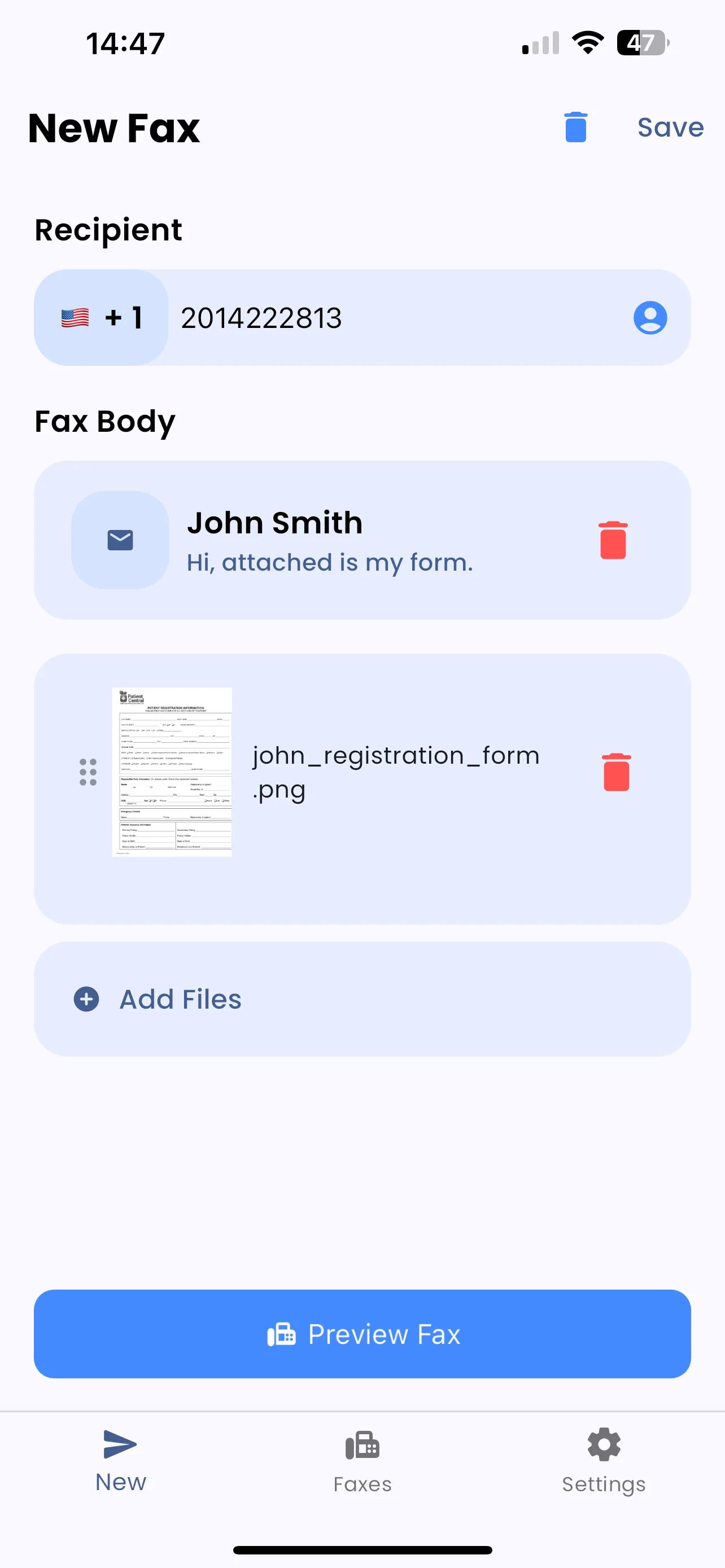
Send a Fax Online in 4 Simple Steps
No fax machine, no phone line, no hassle. Just your device and an internet connection.
Choose Your Device
Use your iPhone, Android, or computer - FaxFlow works everywhere
Upload Document
Scan with camera, upload PDF, or import from cloud storage
Enter Fax Number
Add recipient details and optional cover page
Send & Confirm
Tap send and receive email confirmation when delivered
Choose Your Device Guide
Select the guide that matches your device for step-by-step instructions tailored to your platform.
Fax from Phone
Complete guide to sending faxes from any smartphone. Works on both iPhone and Android with step-by-step instructions.
- Works on all smartphones
- Built-in scanner
- Cloud integration
Fax from iPhone
Step-by-step guide for iOS users. Includes iCloud integration, scanning tips, and iPhone-specific features.
- iCloud integration
- iOS 14+ support
- Apple ecosystem
Fax from Android
Complete Android faxing tutorial. Google Drive integration, file management, and Android-specific tips.
- Google Drive sync
- Android 7.0+
- Multi-device support
Fax from Computer
Send faxes from your PC or Mac using any web browser. No software installation required.
- Any web browser
- PC and Mac
- Drag & drop files
Fax Without a Machine
Learn how to send faxes without owning a fax machine. The complete guide to paperless faxing.
- No hardware needed
- 100% digital
- Save money
Why Fax Online with FaxFlow?
Join thousands who've switched from physical fax machines to secure online faxing.
Send in Minutes
Most faxes delivered in 3-5 minutes
256-bit Encryption
Bank-level security for all transmissions
180+ Countries
International faxing included at no extra cost
Any Device
iPhone, Android, PC, Mac - works everywhere
Ready to Send Your First Fax Online?
Download the free app or use our web platform. Your fax will be delivered in minutes.
Frequently Asked Questions
Everything you need to know about sending faxes online.
To send a fax online, use FaxFlow's app or website. Upload your document (scan with camera, upload PDF, or import from cloud), enter the recipient's fax number, add an optional cover page, and click send. Your fax is transmitted over the internet and delivered to any fax machine worldwide. You'll receive email confirmation when delivered.
Yes! FaxFlow works on both iPhone (iOS 14+) and Android (7.0+). Download the free app, scan documents using your camera or import files, enter the fax number, and send. Your smartphone becomes a portable fax machine with 256-bit encryption security.
FaxFlow offers flexible plans: Weekly ($9.99), Monthly ($29.99), or Annual ($149.99). All plans include unlimited pages per fax, international faxing to 180+ countries, professional cover sheets, and email confirmations. The app is free to download - you only pay when sending.
Absolutely. FaxFlow uses 256-bit SSL/TLS encryption - the same security standard used by banks and financial institutions. Documents are transmitted over secure HTTPS connections and are automatically deleted after successful delivery. This is more secure than traditional fax machines.
FaxFlow supports all common file types including PDF, JPG, PNG, DOC, and DOCX. You can also scan physical documents using your phone's camera, which automatically converts them to fax-ready format with image enhancement.
Most faxes are delivered within 3-5 minutes. Delivery time depends on document size, page count, and recipient's fax machine availability. FaxFlow provides real-time status tracking in the app and sends email confirmation when your fax is successfully delivered.
Yes! FaxFlow supports international faxing to over 180 countries at no additional cost. Simply include the country code when entering the recipient's fax number. International faxing is included in all subscription plans.
No special equipment is needed. For phones, just download the free FaxFlow app. For computers, use any modern web browser - no software installation required. All you need is an internet connection and your document.